Jump to a section 16 sections
01 Yacht charter software
Run every charter beautifully.
From the first inquiry to the final departure.
One connected workspace for modern charter teams.
- Inquiries
- Fleet
- Quotes
- Bookings
- Your team
02 The connected workflow
Less retyping. Clearer handoffs.
Give each stage the information it needs. Keep your team in control.
Capture & qualify
Collect dates, guest count, budget and preferences. Keep the source of the inquiry connected.
Recommend & quote
Find suitable yachts, prepare customer pricing and share a branded quote.
Coordinate & deliver
Track booking preparation, payment records and customer documents through departure.
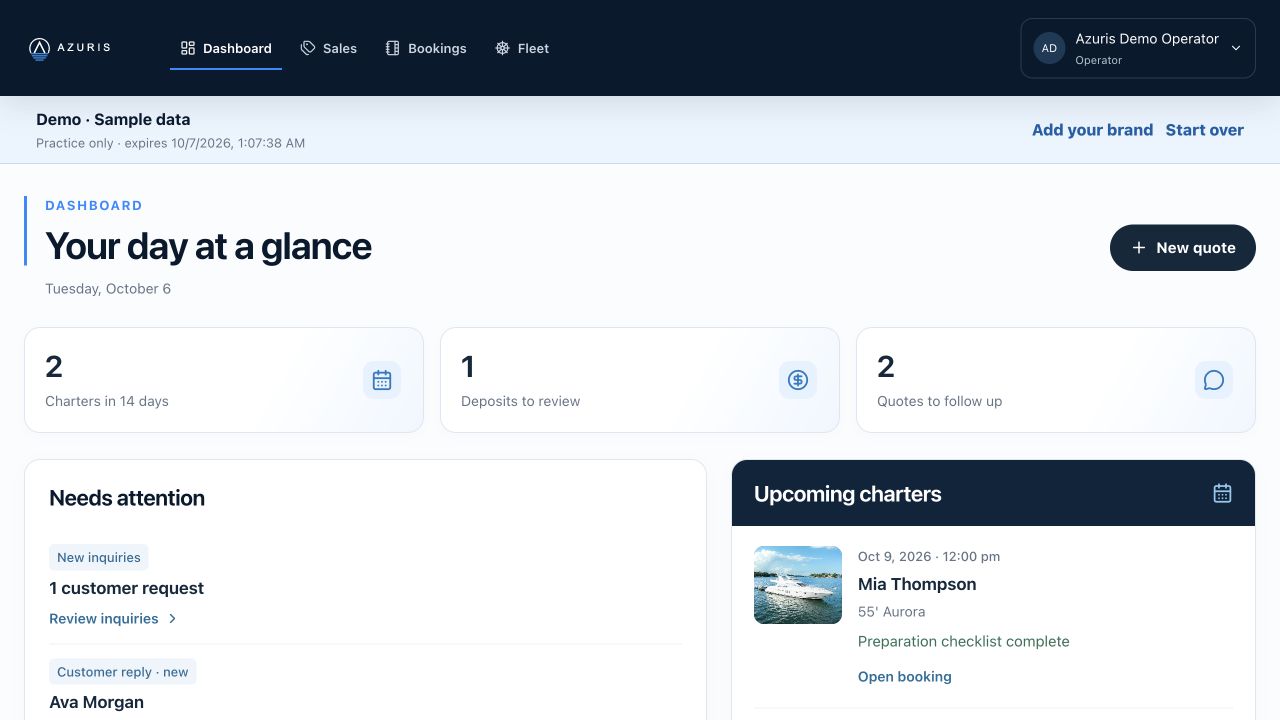
03 Your daily workspace
Know what needs attention.
See upcoming charters, deposit reviews and quote follow-ups together.
04 Inquiry links & QR codes
Make the first contact easy.
Give customers a simple way to send the details your team needs.
Personal & company links
Share an inquiry form by text, email or a downloadable QR code. Personal links retain the source of the request.
Custom addresses
Choose a memorable link ending. Previous addresses remain valid; disabling the link disables its addresses.
A useful intake record
Capture charter preferences and notes, assign follow-up, prepare a quote, or archive and restore the inquiry.
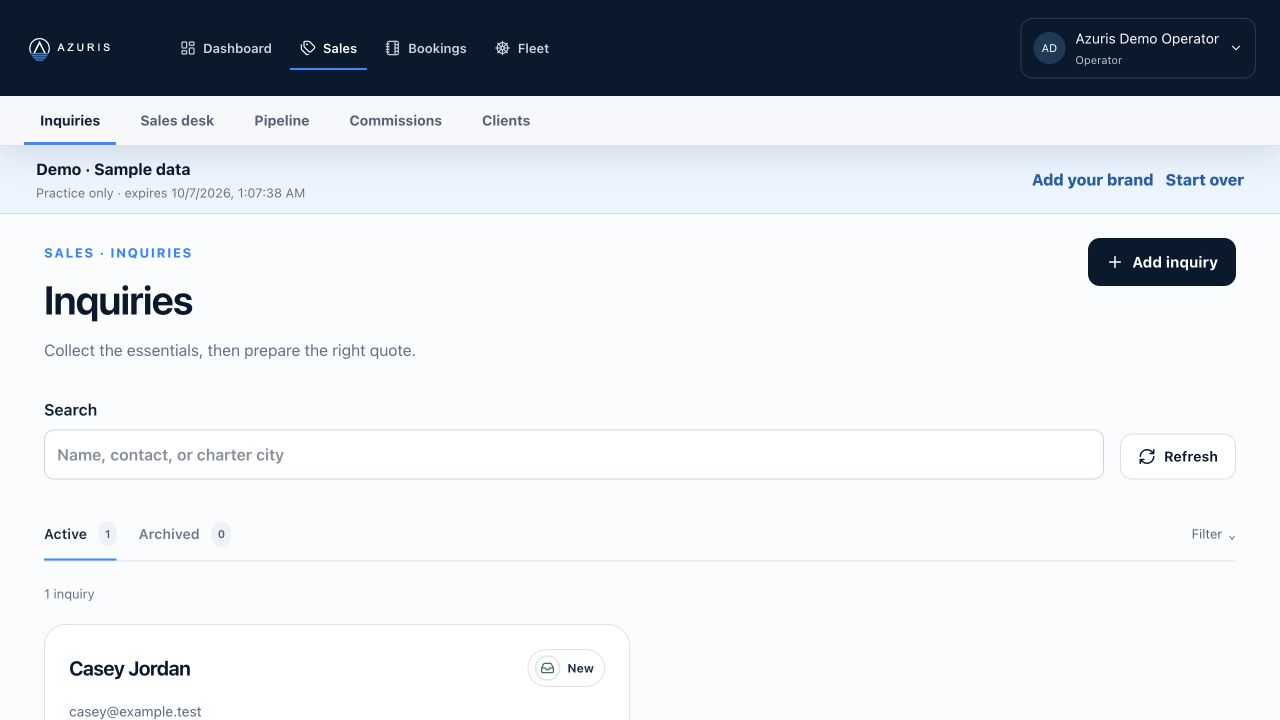
05 The inquiry workspace
Turn a request into a next step.
Keep customer preferences, assignment and quote preparation in one place.
06 Fleet management
Build yacht knowledge your team can use.
Bring scattered listing information into a reviewed fleet record.
Import & review
Use pasted listing details or screenshots to prepare a yacht record. Check extracted facts and rates before saving.
Describe & present
Maintain photos, amenities, add-ons and duration pricing. Review AI-assisted customer copy before using it.
Keep listings ready
Readiness checks surface missing information. Keep broker contacts and internal rates within authorized staff views.
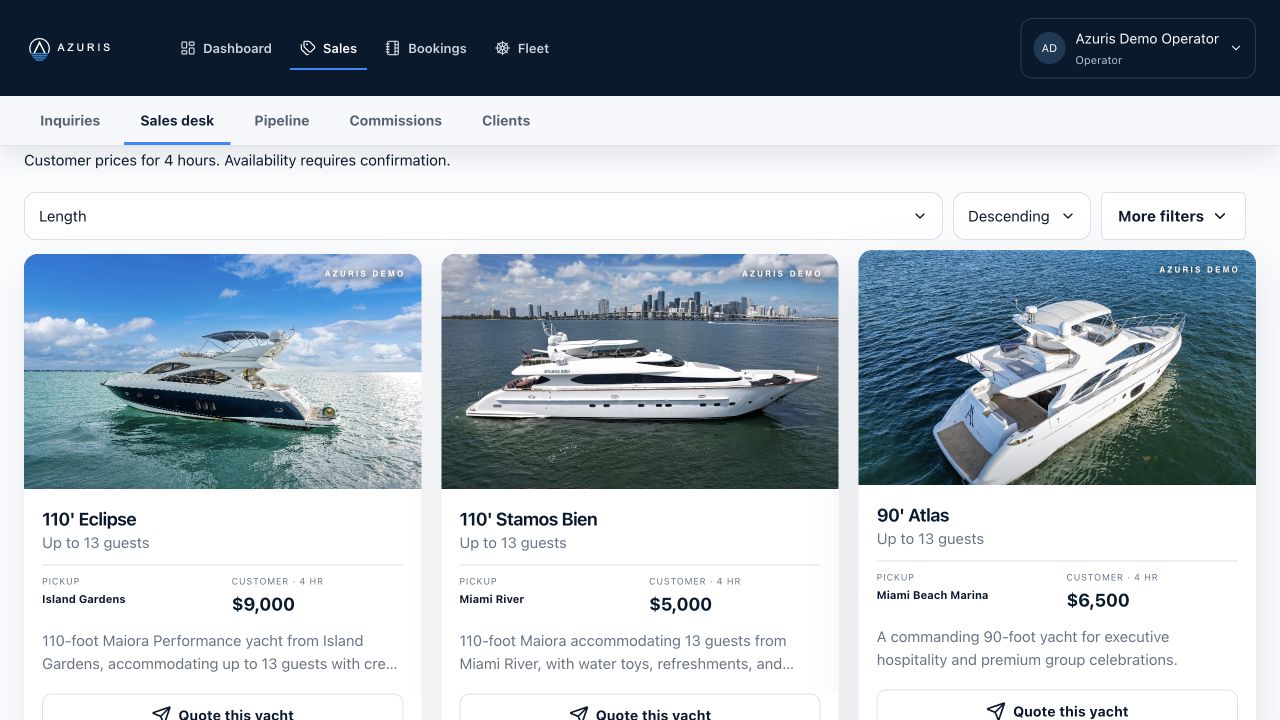
07 The Sales desk
Help agents make a better recommendation.
Useful yacht information and customer prices, with sensitive business details protected.
08 Quotes & customer experience
Make the choice feel easy.
Carry your brand from yacht options to the customer’s next question.
Present the options
Prepare yacht photos, descriptions, pickup details and clear charter pricing in a branded quote.
Share the details
Use customer quote links, galleries and downloaded quote PDFs. Keep internal costs and broker contacts private.
Keep people involved
A yacht selection is a request for the team to handle. Confirm availability and the booking before promising a charter.
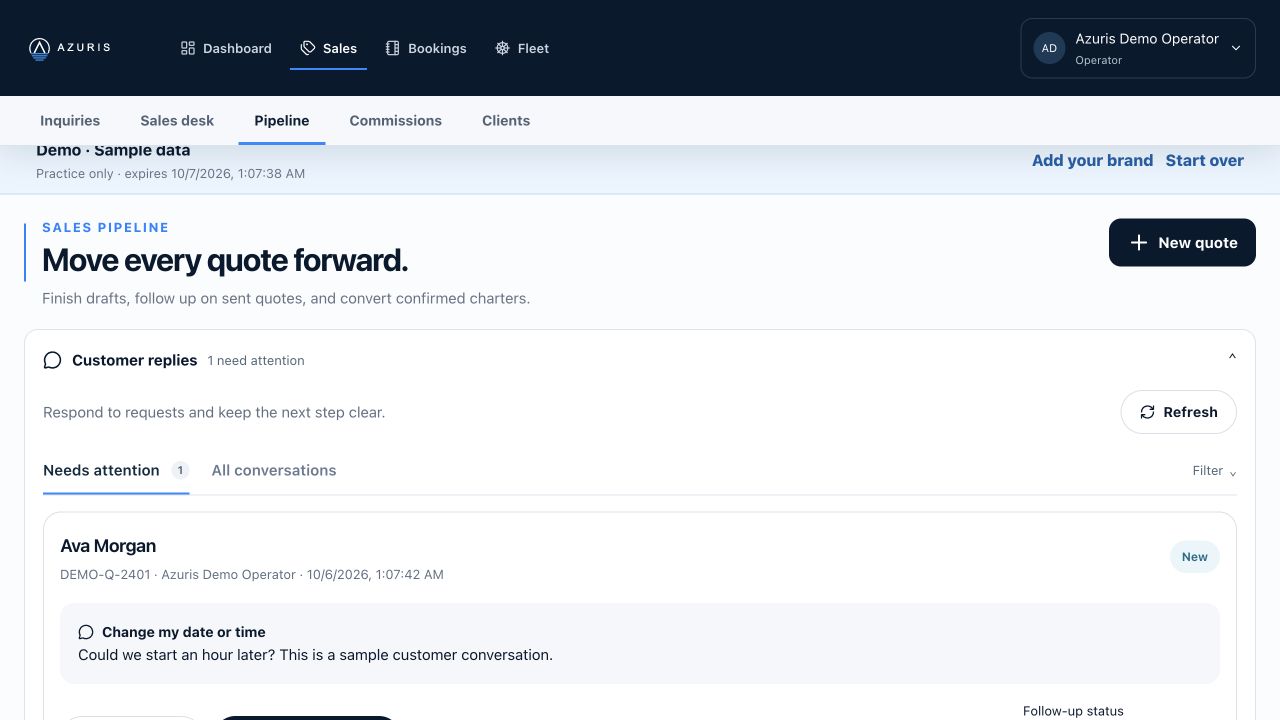
09 Customer conversations
A reply should move the quote forward.
Manage customer questions and follow-up status alongside the sales pipeline.
10 Booking coordination
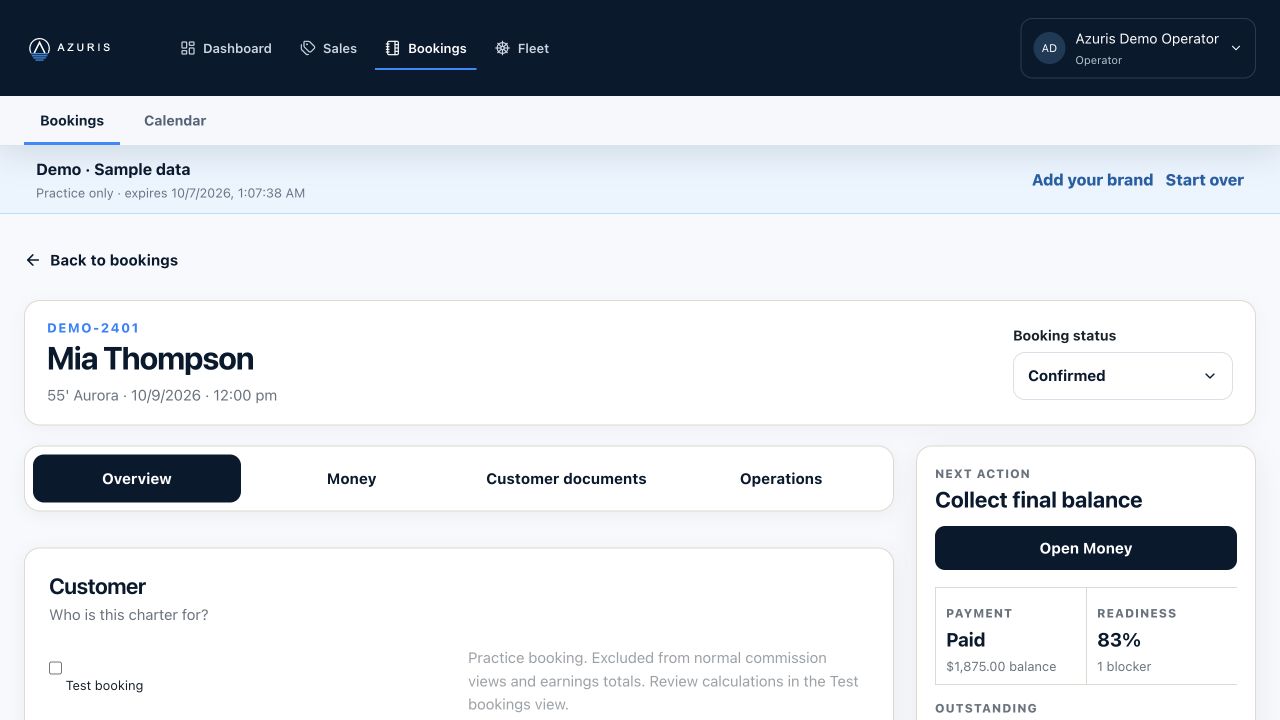
Know what still needs to happen.
Keep charter details, preparation and payment status attached to the booking.
11 Customer documents
Finish with a consistent customer handoff.
Keep practical charter information clear, accessible and on brand.
Quote documents
Provide yacht options, photos, prices and charter details in a consistent customer presentation.
Pickup information
Share the pickup plan and charter contact details through the customer document workflow.
Booking packages
Keep relevant booking documents together. Review details before sharing, with layouts built for desktop and phone.
12 Sales teams & referrals
Grow the team. Keep clear boundaries.
Give each person the information and responsibilities appropriate to their role.
Sales access
Agents work with customer-safe yacht information and prices. Internal costs, margins and broker contacts stay protected.
Referral attribution
Keep the source of a request connected. Support referral partners alongside the selling agent.
Controlled onboarding
Manage invitations, training and access separately where recruiting is enabled. Approval does not automatically activate an account.
13 Commission tracking
Know how the earnings were calculated.
Track agent and referral commissions. Actual payouts remain with your business.
Clear allocation
Commissionable profit reflects eligible revenue less yacht or broker cost and direct expenses. Referral share is allocated first; sales share uses the remaining profit.
Rates with history
Rates are saved at confirmation. Review eligible unpaid confirmed bookings separately when changes require a reason; recorded payments are preserved.
Review & record
Earnings estimates may change with expenses or refunds. Approval requires a completed charter and full customer payment. Record payouts after paying externally.
14 Human-reviewed AI
Less preparation. More time for clients.
Use assistance for the busywork while your team approves the facts.
Extract the details
Start from listing text or screenshots. Review the yacht information and pricing before it becomes a saved record.
Prepare customer copy
Use approved yacht facts to prepare descriptions. Keep broker contacts, internal notes and costs out of customer-facing copy.
Stay in control
AI assistance supports staff decisions. It does not independently confirm availability, finalize a charter or pay a commission.
15 Designed for trust
A shared workflow with deliberate access.
Keep business information separated from what customers and sales agents need.
Company workspaces
Company data and role-based access define what people can see and do. Customer documents use a separate presentation.
Operational history
Keep changes, payment records and commission review connected to the relevant work. Archive records when they no longer need attention.
A controlled Demo
Explore fictional records in a temporary workspace. Real emails, invitations and account activation are restricted. Features depend on permissions and configuration.
16 See it for yourself
Your next charter. A clearer way to run it.
Start with a sample workflow, then evaluate a controlled pilot with your team.
Explore the Demo
Follow an inquiry, review a quote and open a booking.
Choose a real workflow
Identify the handoff your team most wants to improve.
Shape the rollout
Confirm roles, branding and the features your workspace needs.